Update Container Instance Configuration
After a container instance is powered off, you can select a new SKU through Update to scale the instance up or down.
Prerequisite
The container instance has been created and is in the Stopped state.
Steps
-
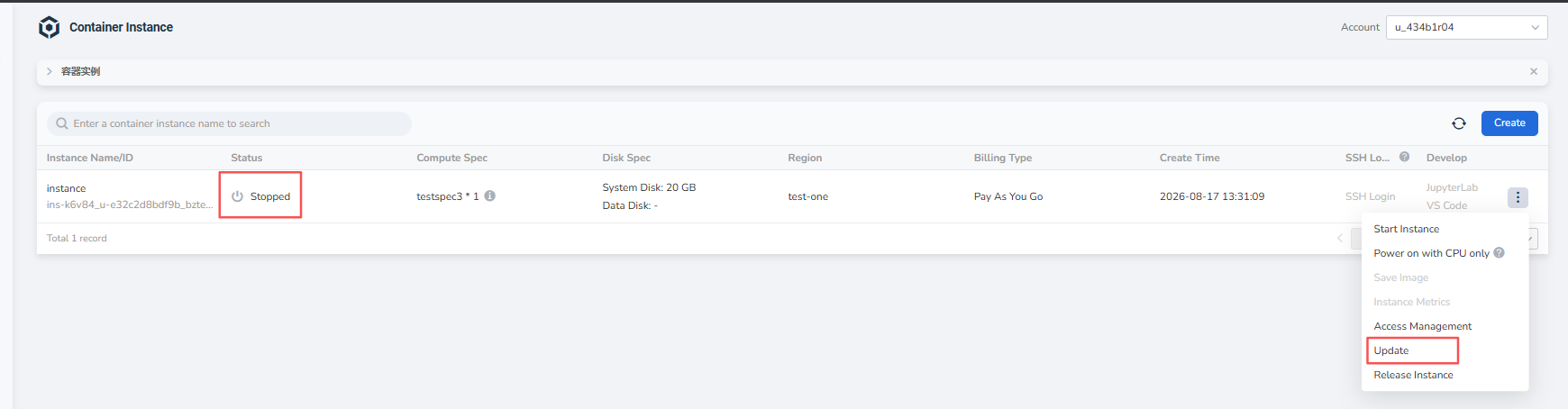
Go to Compute Cloud -> Container Instances, find an instance in the Stopped state, click the ┇ on the right side of the list, and choose Update from the dropdown list.
-
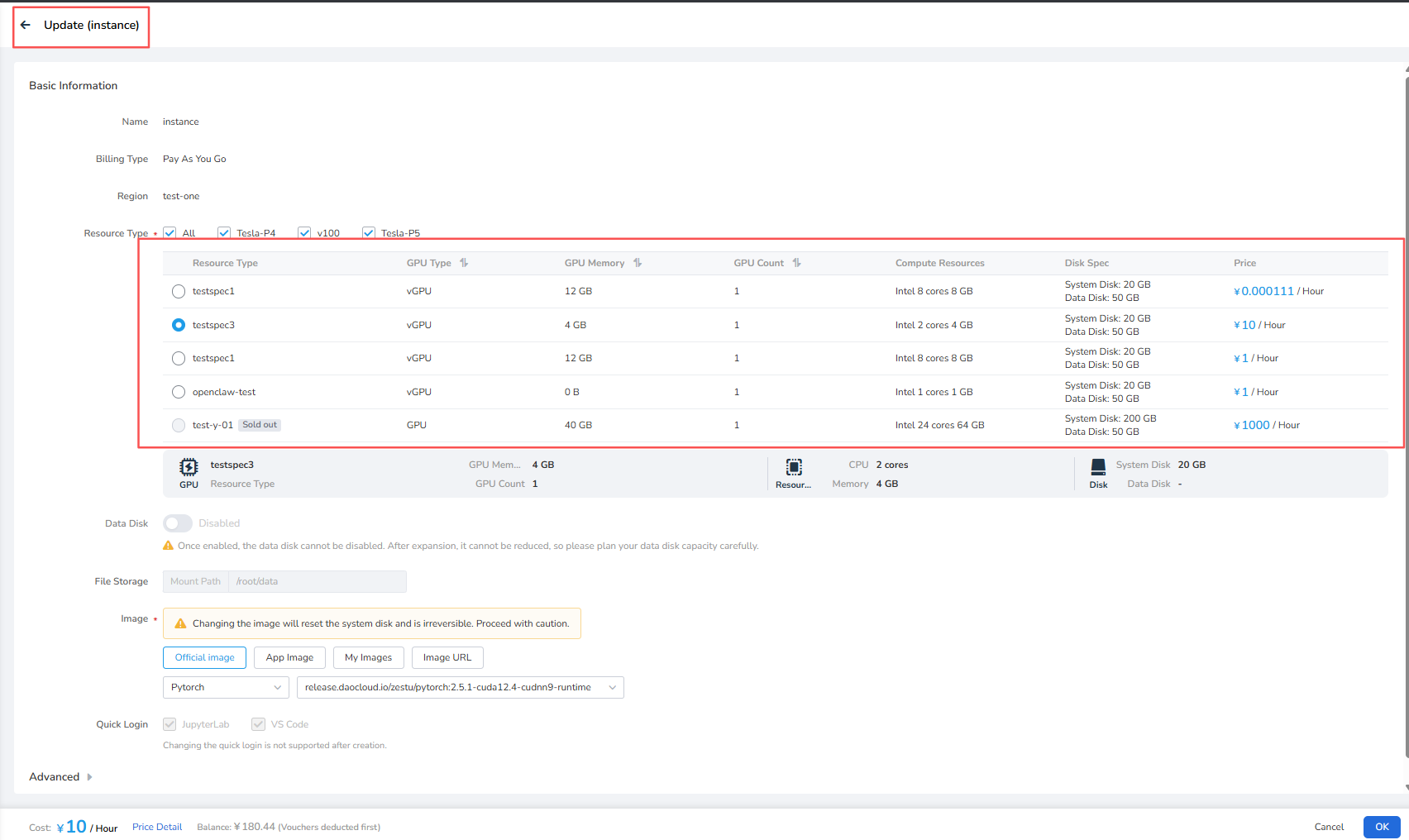
On the Update page, select a new SKU, confirm the GPU type, GPU memory, GPU count, compute resources, disk configuration, and price, then click OK to complete the update.
Note
- Configuration updates are supported only when the container instance is powered off.
- After the scale-up or scale-down is complete, the container instance remains powered off. Manually choose Start Instance to power it on.